Software a referral group runs its week on
A directory, this week's asks, the referral log, attendance and dues, in one place instead of five.
A referral group meets weekly, and the meeting is the easy part. The rest is a member list in somebody's spreadsheet, this week's asks in one person's notebook, referrals nobody writes down, dues chased by text, and attendance on a clipboard that only exists once.
WeeklyAsk is one place for all of it. A leader runs the group, a co-organizer runs the meetings, and every member gets their own view of it. There's a live demo running on sample data, so none of this has to be taken on description.
Open WeeklyAsk.comInside the App
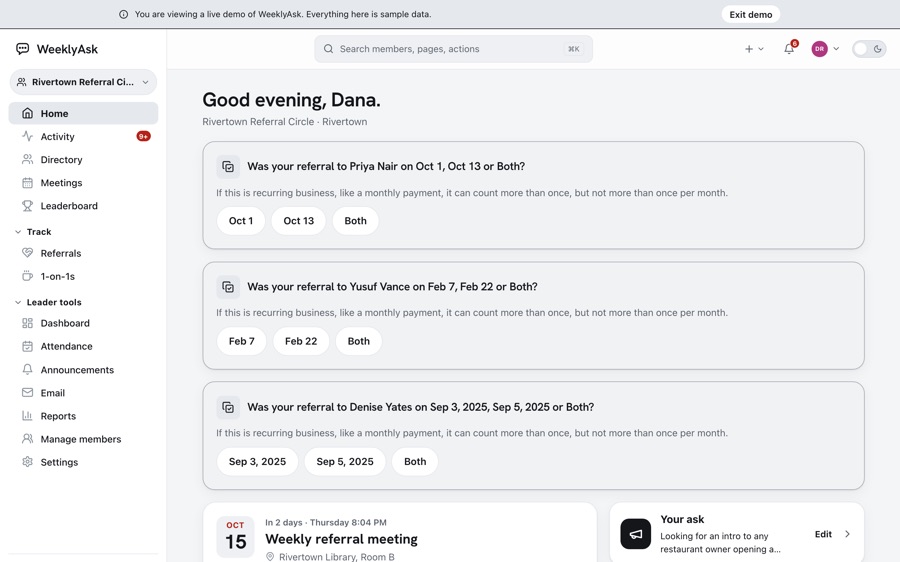
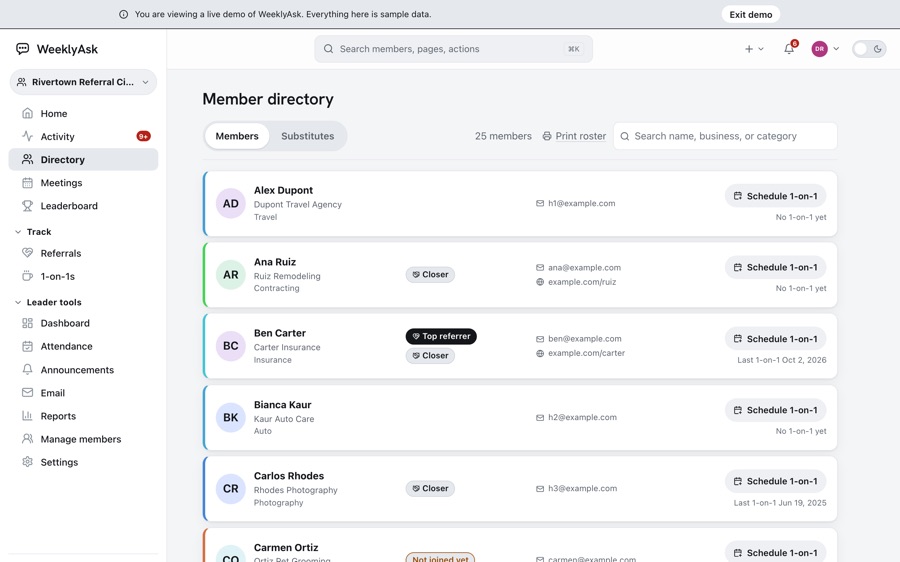
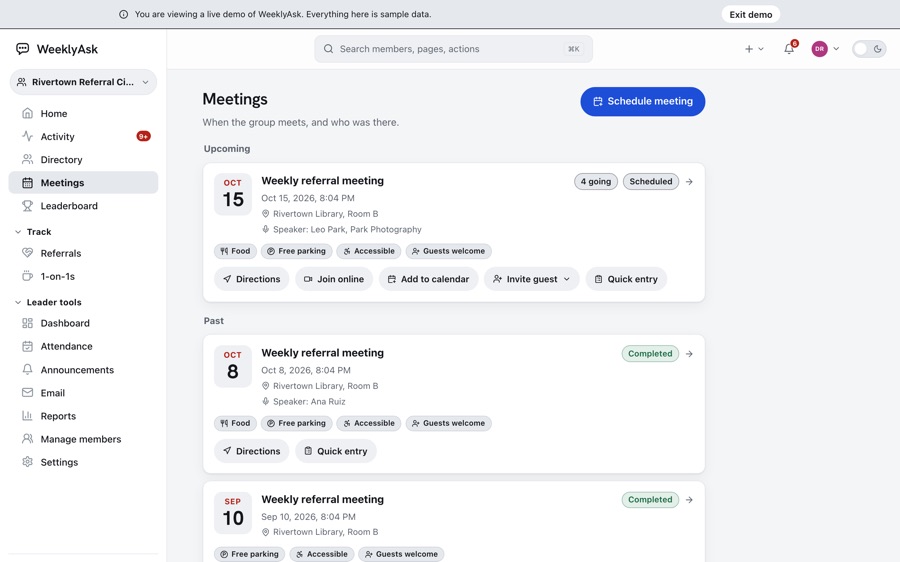
Every screen below is in the public demo, signed in as the group leader. Open it and click the same things.
What It Does
For the group
- A directory carrying each member's business, category and current ask
- The weekly one-minute ask, written once and readable by everyone before the meeting
- Referrals logged, passed and closed, with the business attached to them
- Meetings, attendance, substitutes and visitors, marked on one sheet during the meeting
- Announcements, testimonials and dues, in the same place as the rest of it
For each member
- A personal contact list that travels with you across every group you belong to
- Quick capture for the conversation you just had, in one sentence, before you forget it
- Follow-ups, including a nudge when someone you know has gone quiet
- Your own scorecard: what you gave, what you got and what closed
- An export of your own contacts, because they're yours and not the group's
How a Group's Week Runs in WeeklyAsk
Each row below is one point in a group's week, with the screen it happens on in the public demo.
-
Before the Meeting
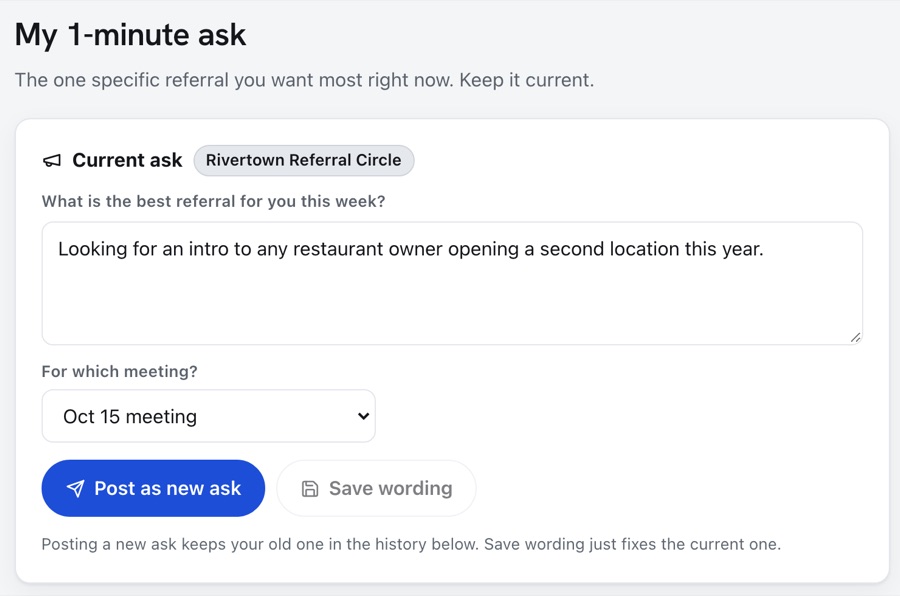
Each Member Posts an Ask
One line naming the referral they want most, so the room knows what to listen for.
-
At the Meeting
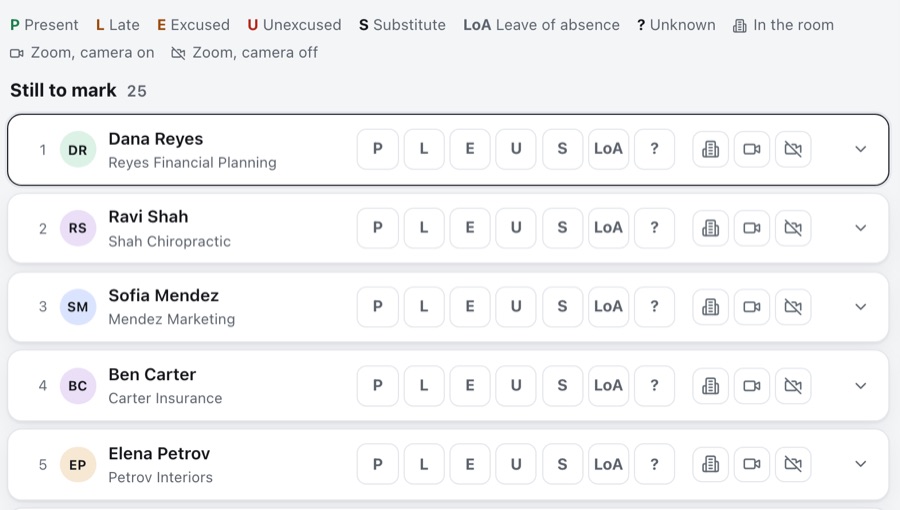
One Tap per Member
Quick entry is one row per member: present, late, excused, unexcused, a substitute or on leave.
-
After the Meeting
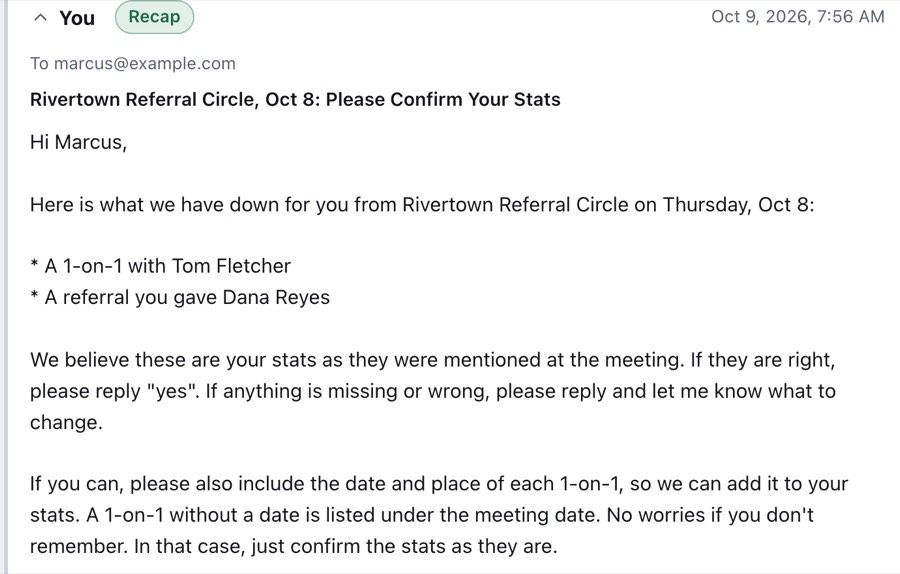
The Post-Meeting Email Goes Out
Each member who announced something gets one email listing it, and replies yes or says what to change.
-
As Replies Come In
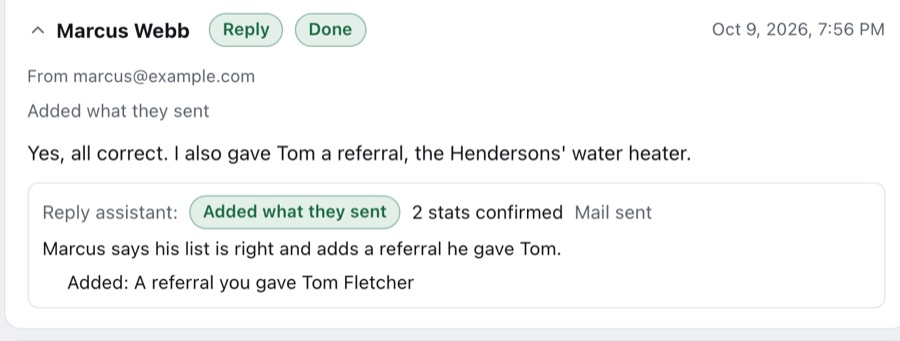
Replies Become Records
The reply assistant confirms what was right and adds anything new. A name it can't match waits for the leader to pick.
-
Any Day
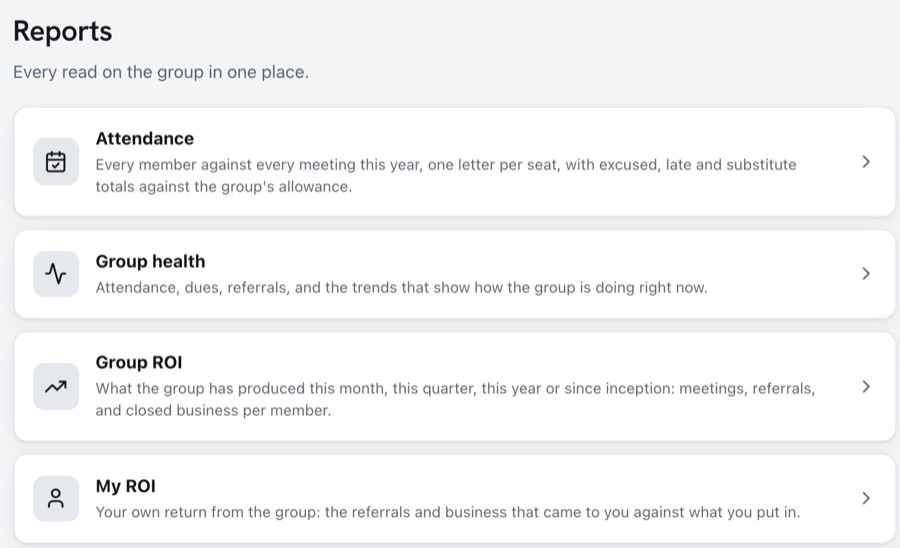
The Totals Show on Reports
Attendance against the group's allowance, group health, and each member's own return.
Tell Us What Your Business Does by Hand
This started as a spreadsheet, a notebook and a group chat. Most of what we build starts that way, and the useful first conversation is about the by-hand version.
Based in St. Clair Shores, working across Metro Detroit.
The Rest of the Work
- Pathway to Self Tarot and oracle readings, Reiki and life coaching, online over Zoom or in person at GVST Wellness.
- Advertising and Graphics A Metro Detroit shop that makes signs, vehicle wraps, print, apparel and promotional products, on a site where every photo shows work the shop delivered.
- The Referral Exchange A Clawson referral group of 26 businesses, one seat per trade, meeting Wednesday mornings at Thrive Rehabilitation.
- GVST Wellness A yoga and group fitness studio in St. Clair Shores and Harrison Township, moved off a template onto a site of its own.
- SessionSmithy Tabletop game prep, laid out the way you use it at the table.
- PokerThangs A trainer for live low-stakes poker, where you get a messy pot, an uncounted stack and no time to work either of them out.